
Return
-
Title
Unable to delete computer objects with BitLocker subtree/leaf object. -
Description
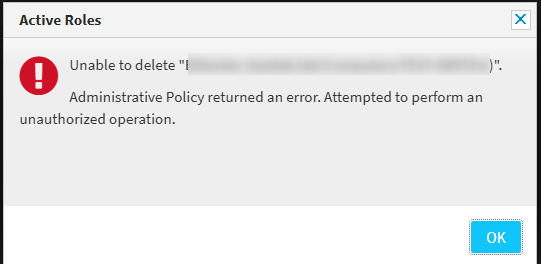
When attempting to delete a computer object that has Bitlocker enabled (contains leaf object), the following error message may be displayed:
-
Cause
-
Resolution
1. Create an Access Template with the following settings:
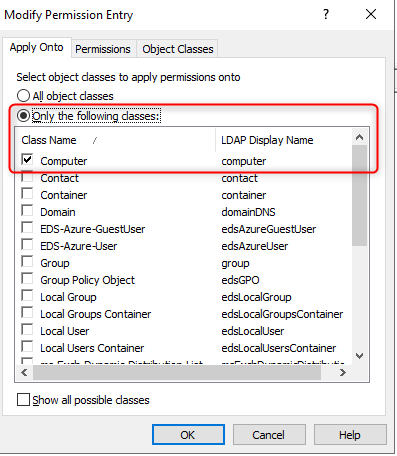
Apply Onto:
- Only the following Classes: Computer
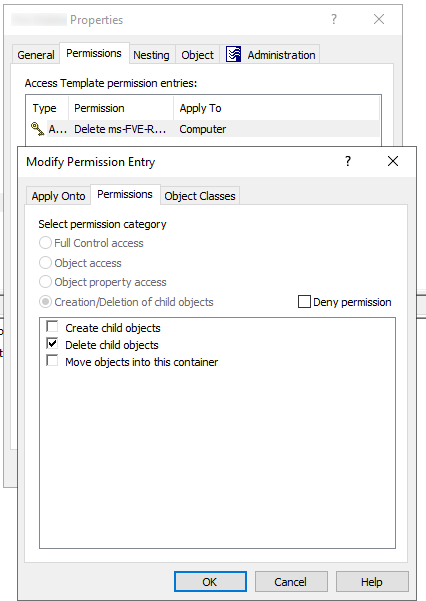
Permissions:
- Creation/Deletion of Child Objects: Delete Child Objects
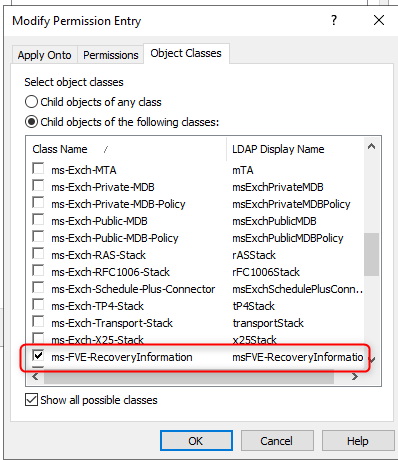
Object Classes:
- Child objects of the following classes: ms-FVE-RecoveryInformation
Example:
2. Link the Access Template to the desired target location of the Computer objects (i.e. Organizational Unit) and to the appropriate Users or Groups that require access.